To turn in:
- Contact sheet with your 24+ landscapes
- 3 printed landscapes (all with for/mid/background, rule of 1/3, variable contrast, proper exposure, etc.)
The 2009-2010 Reflections theme is “Beauty Is...” which can be interpreted in your own unique way. Decide what the phrase means to you and how you can explain, depict or portray in a photographic form what the concept of beauty is. Interpretation of the theme, artistic merit and creativity are the criteria by which each entry is judged. If you are chosen as a finalist for Shorecrest, your artistic work will go on to the Shoreline Council level, then possibly to State and National levels. This is a great way to be recognized for your artistic talents and ability to express a theme in a creative way.
What do you think “Beauty Is...”? Think out of the box, get creative, remember the compositional techniques we have studied and remember for every image you take, try to make it unique, creative, and something you are proud of...
Click here for more information.
Click here for entry form.
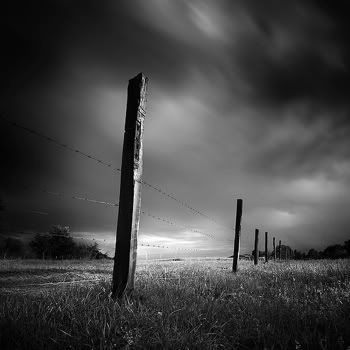
Contrast filters are necessary for increasing or decreasing the amount of contrast in your print. If your test prints are coming out much too gray, then increasing the number of your filter will increase the contrast, making the whites whiter and the blacks blacker. Everyone has a different preference when it comes to deciding which contrast filter to start with, but I have always found for my purposes that a contrast filter of 3 suits me well when I’m working on a black and white enlarger.
Changing your contrast filter as you do test prints will also affect your exposure times, so don’t expect the same results in exposure when changing from a 3 to a 3 1/2 or a 4. You will need to make a new test strip!!!
The first photograph here shows the effect of a lower contrast filter. The second illustrates the effect of using a contrast filter higher in number.


